 Sandbox
Minecraft Modpack Picks: One Each for Tech, Magic and Adventure
The 2026 Modpack Landscape
Minecraft's modding scene in 2026 is the healthiest it has been since the Feed The Beast era. Two things changed the game: NeoForge matured into a stable loader for the latest versions, and Fabric closed the gap on content parity with Forge. The result is a slate of curated modpacks that feel less like patchwork and more like entirely new games.
Before you pick, know your constraints. Most current packs run on Minecraft 1.20.1 or the newer 1.21.1, and the 1.21 generation requires Java 21 — an older Java install will refuse to launch them. The other hard limit is RAM. A kitchen-sink pack with hundreds of mods wants 10 GB or more, while a lightweight performance pack runs happily on 2 GB. Match the pack to your hardware first, then to your mood. Below are one strong pick for each of the three big playstyles — tech, magic, and adventure — plus the hardcore and performance corners.
Tech Pick: All The Mods 10
If you want everything in one box, All The Mods 10 (ATM10) is the reigning kitchen-sink champion. It runs on NeoForge for Minecraft 1.21.1 and bundles well over 400 mods — sources place the count anywhere from 400 to 500 — including Create, Mekanism, Ars Nouveau, and Apotheosis. The pack is anchored by a questbook and the familiar ATM Star endgame goal, which gives you long-term direction without forcing a single progression path. Different players can specialize in tech, magic, building, or exploration on the same server.
The catch is weight. Official guidance and host benchmarks put ATM10 at 10 to 12 GB of RAM for a small group, and it rewards a strong single-core CPU and fast storage because dimension generation and late-game factories are demanding. If your machine clears that bar, it is the most replayable pack of the year.
Magic & Engineering Pick: Create: Astral
For players who love machines but find a 400-mod list intimidating, Create: Astral is the sweet spot. It is built around the Create mod's kinetic engineering — gears, belts, rotating pistons, trains, and automated factories — wrapped in a questline that teaches the systems as you go. Several hosts rate it around 8 GB of RAM, which keeps it accessible to mid-range PCs.
What makes it special is focus. Instead of drowning you in content, it turns one brilliant mod into a deep, satisfying puzzle of cause and effect. You learn why a contraption works, not just what button to press. If your idea of fun is a production line that builds itself, this is the pack to install first.

Vanilla-Plus Pick: Better MC
Better MC is the pack to hand a friend who says they do not really do mods. It stays close to the vanilla feel — extra biomes, structures, mobs, and quality-of-life tweaks — while layering in magic, dungeons, and Distant Horizons-style visual depth. It ships in multiple loader variants (Forge, NeoForge, and Fabric) across 1.20.1 and 1.21.1, with the BMC5 edition on NeoForge 1.21.1 being the current flagship.
Expect roughly 200 mods and a 6 to 8 GB RAM recommendation. It is beginner-friendly without being shallow, and because it does not overhaul the core loop, it is the easiest pack to learn modded Minecraft on before graduating to the heavier kitchen sinks.
RPG & Adventure Picks: Prominence II, DawnCraft, RLCraft
When you want a campaign with stakes, three names dominate 2026.
- Prominence II (Hasturian Era) — a Fabric pack on 1.20.1, around 6 to 8 GB, built as a story-driven RPG with custom quests, bosses, and a class-and-skill system. It plays like a standalone fantasy game bolted onto Minecraft.
- DawnCraft — a soulslike experience on Forge 1.18.2, roughly 8 to 10 GB, with regional bosses, custom NPCs, and a brutal difficulty curve. Progression locks vanilla features behind quest rewards, so you earn the world as you go.
- RLCraft — the long-standing hardcore survival pack (traditionally 1.12.2, with later updates pushing toward newer versions), 4 to 8 GB depending on edition. Dragons, thirst, temperature, and Lycanites mobs make the early game genuinely punishing. You will die a lot, and that is the point.
Pick Prominence II for structure, DawnCraft for combat challenge, and RLCraft if you want the harshest possible world.
Performance Picks: Fabulously Optimized & Simply Optimized
Not every pack needs to add content. If vanilla Minecraft stutters on your machine, or you want a clean base to bolt your own mods onto, the performance packs are the answer. Fabulously Optimized and Simply Optimized both run on Fabric at around 2 GB of RAM and bundle the gold-standard optimization stack: Sodium (rendering), Lithium (server-side logic), Starlight (lighting engine), and FerriteCore (memory use). Together they routinely multiply frame rates without changing how the game plays.
Fabulously Optimized is the slightly fuller option with a few extras; Simply Optimized strips it down to the essentials. Either one is the right starting point for older hardware or for building your own curated mod list.
How to Choose by RAM and Playstyle
Use this quick table to match a pack to your box and your taste:
| Playstyle | Pack | Loader / Version | RAM |
|---|---|---|---|
| Everything (tech + magic) | All The Mods 10 | NeoForge 1.21.1 | 10 to 12 GB |
| Machines & automation | Create: Astral | Forge 1.20.1 | ~8 GB |
| Close to vanilla | Better MC (BMC5) | NeoForge 1.21.1 | 6 to 8 GB |
| Story RPG | Prominence II | Fabric 1.20.1 | 6 to 8 GB |
| Soulslike combat | DawnCraft | Forge 1.18.2 | 8 to 10 GB |
| Brutal survival | RLCraft | Forge 1.12.2+ | 4 to 8 GB |
| Pure performance | Fabulously / Simply Optimized | Fabric (latest) | ~2 GB |
The decision tree is simple. Low RAM and a weak PC? Start with a performance pack. Want a gentle introduction? Better MC. Want to build factories? ATM10 or Create: Astral. Want a campaign? Prominence II, DawnCraft, or RLCraft. Whatever you choose, install through CurseForge, Modrinth, or a launcher such as GDLauncher so the loader and Java version are handled for you — and make sure Java 21 is installed before you touch any 1.21 pack.
Diagnosing a Bad Launch Before You Blame the Pack
Most reports of a broken modpack are configuration problems wearing a costume. Work from the top down rather than reinstalling: read the exit code and the most recent log first, then check Java, then memory, then the mod list itself. Every mainstream launcher keeps a log per session, and a crash report names the class or mod that failed, which is a far better lead than guessing.
The first failure mode is an instant crash with a Java version complaint. This happens because modern packs target a newer Java runtime than the one your system defaults to, and plenty of machines still have an older Java registered from an unrelated program. The fix is not to download a different pack but to install the required runtime and point the launcher instance at it explicitly in the instance settings, instead of trusting the system default.
The second failure mode is a launch that dies during world creation or a few seconds into a world. That pattern usually means a mod conflict or a missing dependency rather than insufficient hardware. Find the lowest line of the stack trace that still names a mod, remove that mod together with anything that depends on it, and relaunch. If the trace does not name anything useful, bisect: disable half the mod list, launch, and repeat until the culprit is isolated.
The third failure mode is a pack that runs but hitches every few seconds. That is almost never the mod list and almost always memory or storage, which is worth understanding before you touch anything else.
Allocating RAM: Why the Maximum Setting Is Usually Wrong
The instinct with a heavy pack is to hand it every gigabyte you have. That instinct costs frames. The Java heap is garbage-collected, and a very large heap simply means the collector eventually has a lot of ground to cover, which shows up as visible stalls rather than a smooth slowdown. A heap sized close to what the pack genuinely needs, with real headroom left for the operating system, gives steadier frame times than a maximised slider.
Use this as a starting point and then adjust by observation rather than by anxiety:
| System RAM | Allocation to the instance | What that supports |
|---|---|---|
| 8 GB | 3 to 4 GB | Performance packs and light vanilla-plus only |
| 16 GB | 6 to 8 GB | Most mid-weight packs, including Create-led ones |
| 32 GB | 8 to 10 GB | Kitchen-sink packs with hundreds of mods |
| 32 GB, hosting for friends | 8 GB client, 4 to 6 GB server | Split the budget; never allocate both as if the other does not exist |
Two practical details matter more than the headline number. Keep a couple of gigabytes genuinely free for the OS, the browser guide you are reading, and any recording software, because starving the system produces stutter that looks like a mod problem. And if you run a server and a client on the same machine, treat them as two separate budgets that together must fit inside your physical RAM.
Storage is the other half. Late-game factories and dimension generation hammer the disk, so a pack on a mechanical drive will hitch in ways no amount of allocated memory fixes. Moving the instance to an SSD is often the single largest performance upgrade available, ahead of any in-game setting.
Hosting for Friends: What Changes on a Dedicated Server
Opening a singleplayer world to LAN is fine for an afternoon, but a group that plays for weeks wants a separate server process. Once you make that switch, three settings move to the front of the queue, and none of them are visible in the client options menu.
Separate view distance from simulation distance. Render distance governs how far clients can see, while simulation distance governs how much of the world is actually ticking. Lowering simulation distance without touching render distance cuts server load substantially while the world still looks the same from the player's perspective, which makes it the cheapest performance lever on a multiplayer world.
Pre-generate the world. Ongoing chunk generation is the largest single source of server-side lag in modpacks, and it is worst exactly when your group is exploring together. Run a chunk pre-generation mod over the overworld and the Nether during a quiet session, pick a radius that covers the area people will realistically reach, and let it finish before you invite everyone in.
Then measure instead of guessing. A profiling mod will tell you whether your tick time is being eaten by entities, block entities, or generation, and those three have completely different fixes. In tech packs the answer is usually a handful of badly designed machines rather than the mod count: one unfiltered storage bus feeding thousands of item entities can outweigh every other system on the server combined.
Finally, schedule restarts and take automated backups. Long-running modded worlds accumulate stranded entities and orphaned chunk claims, and a weekly restart during an off-peak hour clears more problems than any tuning tweak. Backups are the difference between a corrupted chunk and a lost month.
A Thirty-Minute Self-Check Drill Before You Commit
You can decide whether a pack suits your machine in half an hour, and the decision should be made on frame time rather than frame rate. Turn on the debug overlay so you can see the frame-time graph and the memory readout, then run four steps on a fresh world.
Step one, stand still for sixty seconds and note the baseline frame time. Step two, fly in a straight line for a couple of thousand blocks and watch the graph: sustained spikes mean chunk generation or storage throughput is your bottleneck, not your mod list. Step three, build the pack's first automated machine and watch the memory readout for five minutes; if it climbs steadily to the ceiling and then drops in a cliff, your allocation is too tight and you are seeing the collector work. Step four, open the questbook and try to name your next three goals without being told.
The decision rule is simple. If frame time while flying is roughly comparable to your standing baseline and memory does not pin against the ceiling, the pack fits and any remaining problems are your settings. If those two fail, fix allocation, view distance, and storage before concluding that the pack is too heavy, because in most cases it is not.
Step four matters for a different reason. A pack whose progression you cannot read from its own questbook will fight you for the next hundred hours regardless of how well it runs, and that is worth discovering on day one rather than day twenty.
🏷️ Related Tags
🔥 Topics
More “Minecraft” Content
 Sandbox
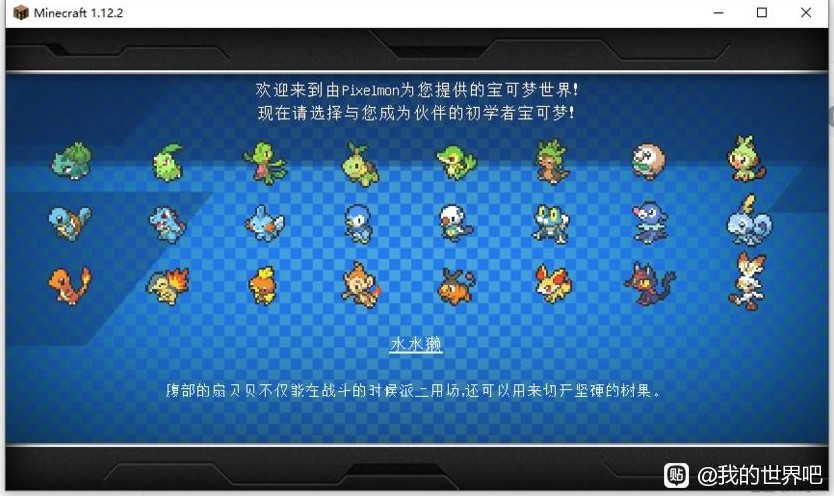
Minecraft: Cobblemon (Pokémon Reforged) Mod — Getting Started
New to the Cobblemon (Pokémon Reforged) mod for Minecraft? Here's how to install it, pick a starter, and master the basics of catching and battling your favorite Pokémon.
 Sandbox
Minecraft: Ten Ways to Survive Your First Night
A ten-step first-night plan for a brand-new Minecraft world: turn logs into tools, raise a sealed shelter before dusk, sleep through the dark, and reach your second sunrise alive.
 Sandbox
Minecraft Redstone Basics: Repeaters, Comparators, and Your First Auto Door
Redstone stops being mysterious once you track two numbers: signal strength, which decays by one every block of dust, and time, which is counted in ticks. This guide explains both properly and then walks you through three builds you can finish tonight and actually reason about: a hidden sticky-piston door, a comparator item filter that triggers on the second item, and a latch you can debug instead of copying.